
BOOKING AUTOMATION AI
Send booking emails into FareHarbor with one click.
The AI copilot for tourism supplier reservation teams. BookingAutomation AI reads booking emails from your affiliates, checks availability and creates a booking in FareHarbor - all without leaving your inbox.
FareHarbor Partner · Process Bookings from ‘Manual’ Affiliates
Before automation
Your inbox is already the booking queue.
When affiliate, reseller and partner requests arrive by email, your reservations team becomes the connection between the request and FareHarbor.
- Manual extraction
- Inconsistent product names
- Repetitive FareHarbor entry
Incoming booking requests
New affiliate booking request
Dates, passenger details and booking reference in the email
Passenger booking details
Names, quantities and requested products inside an attachment
Group booking manifest
Multiple reservations supplied in rows and columns
Read and interpret
Find the relevant names, dates, quantities, references and product requirements across the message and its attachments.
Find the right product
Translate the affiliate’s terminology, search FareHarbor and identify the product that matches the request.
Re-enter, review, and book
Copy the details into the reservation, check availability and review the information before progressing the booking.
Booking Automation AI removes these repetitive steps. The same inbox becomes the starting point for a structured, review-ready FareHarbor reservation.
“The ability to accurately and automatically process bookings directly from an email is a game-changer!”
Jessica M, Reservations Manager, Go West Tours
After Automation
From booking request to review-ready reservation
Booking Automation AI turns the details in an affiliate email into a structured FareHarbor reservation—matching the right product, checking availability and keeping your team in control before anything is sent.
Read the request
Starts with the email your team already receives.
Extract the details
Pulls booking data from the message and attachments.
Match the product
Connects affiliate wording to your FareHarbor setup.
Check availability
Confirms the selected product, date and departure.
Review and send
Your team checks the reservation before submission.
New booking · Harbour Highlights
Please book 2 adults for the 10:00 departure on 18 October. Guest and pickup details are attached.
One connected workflow—without changing how affiliates send their requests.
BUILT FOR FAREHARBOR OPERATORS
Automate bookings from all affiliates
Rentals, Passes & Self-Guided Activities
Keep high-volume rental, pass and admission bookings moving when they arrive through email. Dates, times, quantities and customer details are transferred into the relevant FareHarbor fields, significantly reducing repetitive reservations admin.
Guided Tours & Scheduled Experiences
Give hotels, concierges and other non-connected affiliates an API-like route into your FareHarbor workflow. The AI matches each confirmed booking to the correct tour and departure, checks availability and leaves your team to verify and send.
Private Charters & Cruise Excursions
Move confirmed charter and shore-excursion bookings from affiliate emails into FareHarbor without re-entering every passenger and service detail. Booking Automation AI captures dates, guest numbers, pickup notes and special requirements in a structured draft for review.
OFFICIAL FAREHARBOR PARTNER
Connect FareHarbor and your email system in minutes
Connect data painlessly, allowing AI to remove the manual and repetitive data entry of copying data from the booking email, searching for the relevant product in Fareharbor and creating a draft booking.
INTUITIVE FOR ALL
So simple, you’ll wonder how you managed without it
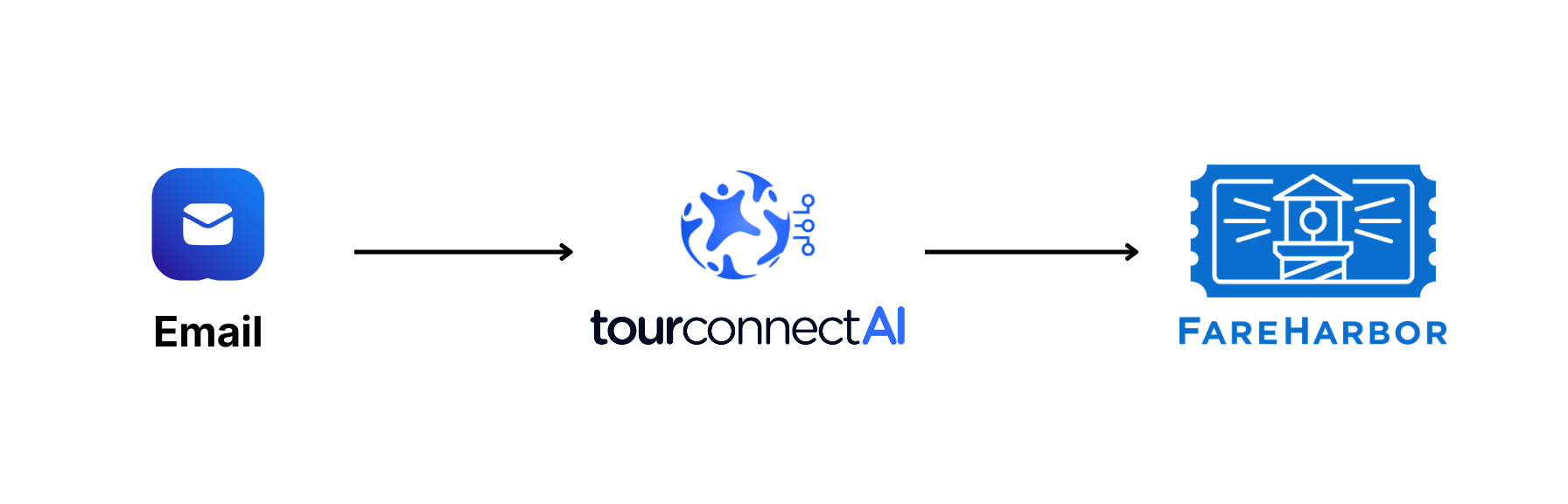
Say hello to your simplified bookings process flow. The AI picks out the key details from the email, PDF and spreadsheet attachments - checks availability and creates a draft booking. The reservation team edits or confirms the draft booking, sending it to your FareHarbor account. Email booking requests are completed in 10-30 seconds, not 10 minutes.
BOOKING AUTOMATION SAVINGS CALCULATOR
Estimate the value of time saved
See how your booking volume and processing time could translate into hours recovered and potential capacity for additional bookings. Use the inputs to model your own scenario. Actual results depend on your workflow and available demand.
Adjust the inputs to explore a capacity scenario for your operation.
Results summary
Illustrative capacity estimate based on operators with high proportion of single booking automations, with efficiency gain measured the month prior and compared to 3 months after go live. Not a revenue forecast or guarantee. It assumes the selected share of recovered time can be used to handle additional bookings at the same manual processing time, and that sufficient demand exists. Actual results depend on your workflow, booking mix, integration and operating conditions.
THREE EASY PLANS
Pricing that scales with your business
Try all the features with a free account. Then choose Standard or Plus if you need to automate Bulk bookings (multiple groups per affiliate email or spreadsheet) as well as Single booking automations. All tiers come with unlimited seats and unlimited affiliates and partners. Our free trial includes unlimited support and access to our off the shelf integrations. At the end of your free trial, any rules you’ve added to Product Aliases and Travel Agent format extractions will carry over to your paid month-by-month plan.
Lite
Best For: Operators who primarily receive single client reservation emails.
$50
USD per month.
Includes 100 automations per month.
Standard
Best For: Operators who also receive multi group bookings and agent manifests.
$55
USD per month.
Bulk Processing. 100 automations p/m.
Plus
Best For: High-volume operators and multi-location venues, or those with reporting or custom API needs.
$500
USD per month.
Includes 1,000 automations per month.
Features included in Lite:
Unlimited users
Unlimited affiliates
No fixed term contracts
Booking Automation AI Inbox add-in
One click email extraction
Single booking processing (single group booking within a single affiliate email)
Product alias rules
Attachment reading
Real time availability check
Booking System sync
Standard email support
Optional add-ons:
Additional booking automations ($0.50 per new booking, change, cancellation)
Custom data extractions
Additional features included in Standard:
Bulk spreadsheet / PDF processing
Multi group processing within the same affiliate email
Priority email support
Optional add-ons:
Additional booking automations ($0.50 per new booking, change, cancellation)
Custom data extractions
Additional features included in Plus:
1,000 automations
Multi-location and multi-brand support
Tailored affiliate setup
Dedicated onboarding success manager
Dashboard reporting (Suited to larger team reporting and ramp up needs. Includes bookings created and changed, team usage per week/month/YTD)
This plan is required if you use a system we don’t have an off-the-shelf integration for
Optional add-ons:
Additional booking automations ($0.50 per new booking, change, cancellation)
Custom data extractions
Custom system integrations
Full automation (Affiliate to FareHarbor)
STOP MANUALLY ENTERING BOOKINGS
You have nothing to lose
How much time does your team spend manually entering bookings and changes each week?
We often hear from clients that they wish they had made time earlier. Made time to start a free trial. Made time to systematically remove their manual handling.
Our AI Copilot is designed for FareHarbor. Let it do the heavy lifting for a month. Once you try it, it’s unlikely that you will want to go back to the old ways of dreading wholesale order processing and sore thumbs from copy-pasting all day.

WE’RE HAPPY TO HELP
Frequently Asked Questions
What if a detail is missing or the product can’t be matched?
Booking Automation AI flags information that needs attention so your team can review or correct the reservation before submitting it to FareHarbor.
Can it process group bookings?
It supports bulk booking workflows from spreadsheets and PDFs. Capacity depends on the file and booking complexity; contact us if you process larger batches.
How does this differ from Itinerary Assist AI?
Itinerary Assist AI is our copilot designed to automate the creation and management of complex multi day itineraries, using real time inventory of thousands of products. It is designed specifically to meet the needs of operations staff within Destination Management Companies. It excels in creating full accurate itineraries from any FIT quote request. Whilst both of our AI Copilots are proprietary, designed with the same quality standards and accessed from the users existing inbox, that is more a less where the similarities with Booking Automation AI end.
How quickly can we get started with Booking Automation AI?
Most Tour Operators using FareHarbor can create an account in under 2 minutes, self-onboard in an hour spread across 2-3 days, and be automating significant volume by the end of the 7 day free trial period. It takes just 2 minutes to create an account, during which you’re asked to share your FareHarbor dashboard url and 2+ existing affiliates you use that provide the highest volume of manual bookings. This information is only used to establish your account, with FareHarbor and TourConnect AI creating the technical connection. Then, your primary users can download the TourConnect add-in for your inbox (Outlook or Gmail).
If you have a larger tour operator team or are using a booking system we don’t currently have an integration with, we’d be very happy to learn more about your use case and how we might help. Click here to book an exploratory video call.